How to set timezone in Intellij IDEA
| 1 min read
Quick note on how to set timezone in Intellij IDEA.
Steps
- Step 1: Create a simple java project (
main()method to just print the current date-time for testing) - Step 2: Set timezone in Intellij (will set timezone via JVM options)
Step 1: Create a simple java project
- Create a Java project with only one single java class called
App.java. - Create its method main to be executable
- Print the current date and time in console
import java.util.Date;

public class App {

    public static void main(String[] args) {
        System.out.println(new Date());
    }

}
Run the app (right click on the class > Run App.main), current date and time reflects my timezone in the console (Peru in my case):
Fri May 28 16:38:08 PET 2021
Step 2: Set timezone in Intellij
- Open Run/Debug Configurations and click on Add VM options
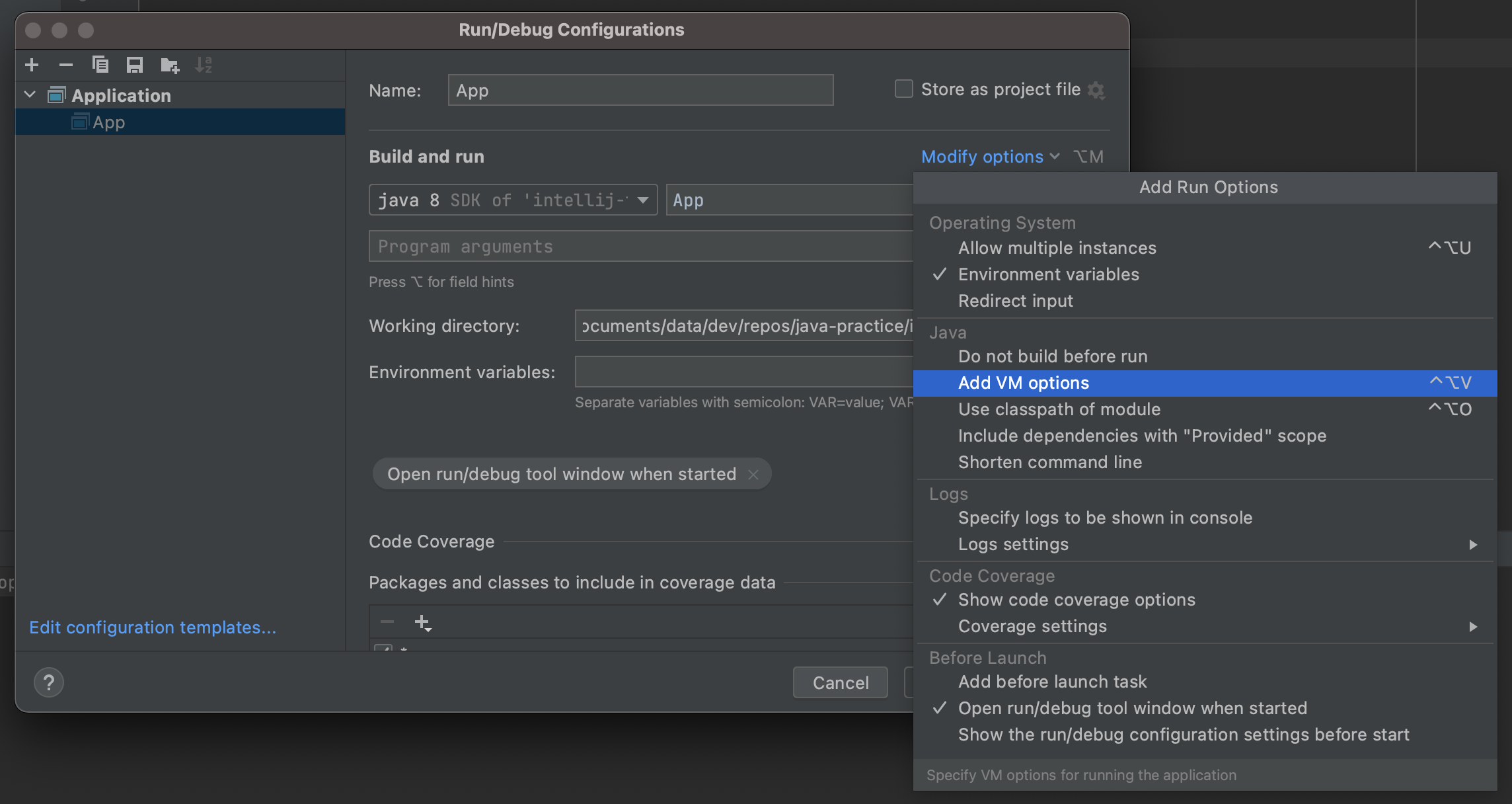
- Under VM options, type the timezone you want. Example:
-Duser.timezone="UTC"if you want UTC.
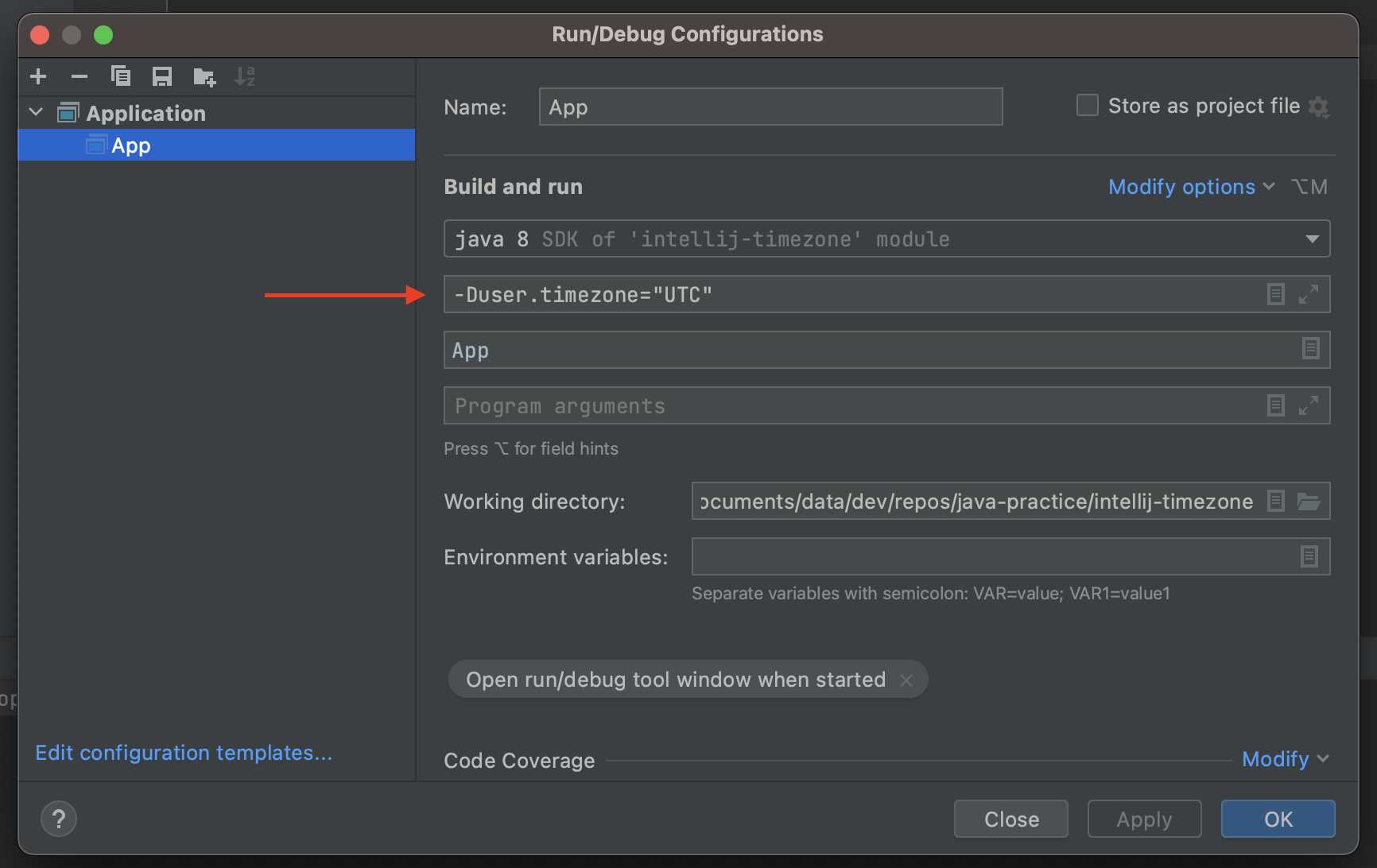
- Run the application again, current date and time should now reflect UTC in the console:
Fri May 28 21:43:39 UTC 2021
Notes
Tested with:
- Intellij IDEA v2021.1.1
- Java 8